
Video Resolution Chart: Every Size from 144p to 8K
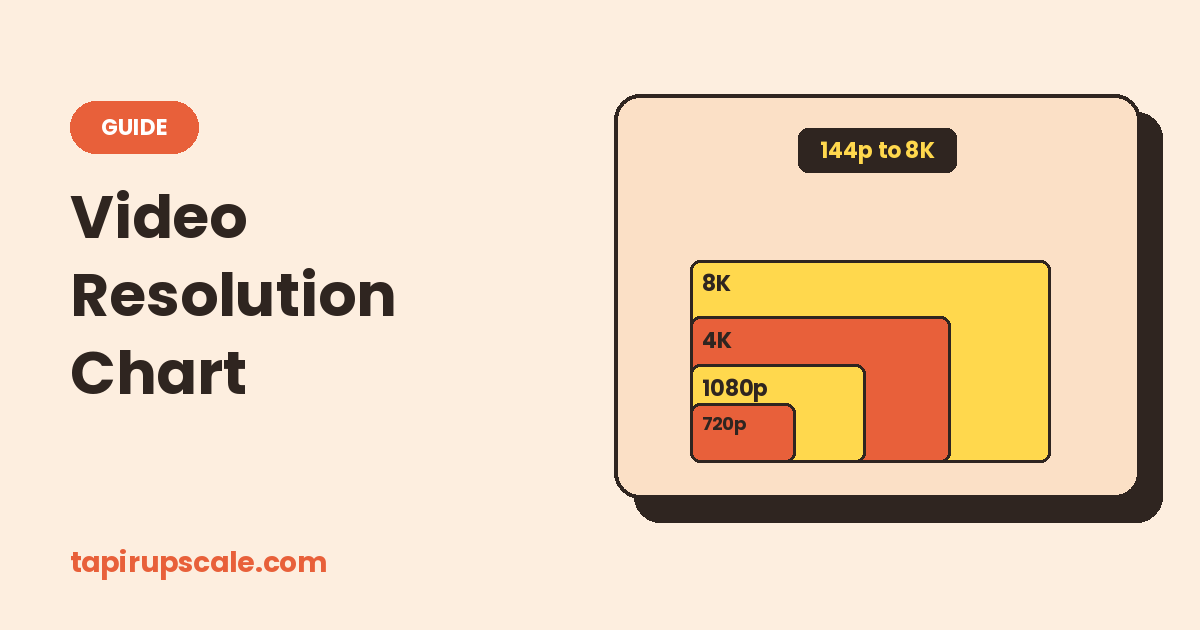
A video resolution is the width × height of each frame in pixels. The short names you see everywhere, 720p, 1080p, 4K, refer to the height of a standard widescreen 16:9 video. So 1080p is 1920 × 1080, and 4K is 3840 × 2160.
Below is the full chart, then the sizes for vertical, square and cinema video that most charts leave out.
Video too small? Take it up a size
Free in your browser, or on a cloud GPU with Pro.
- No sign-up
- No watermark
- Up to 4K

The standard 16:9 resolutions 📊
| Name | Also called | Pixels (W × H) | Total pixels | Compared to 1080p |
|---|---|---|---|---|
| 144p | 256 × 144 | 36,864 | 0.02× | |
| 240p | 426 × 240 | 102,240 | 0.05× | |
| 360p | 640 × 360 | 230,400 | 0.11× | |
| 480p | SD, standard definition | 854 × 480 | 409,920 | 0.2× |
| 720p | HD | 1280 × 720 | 921,600 | 0.44× |
| 1080p | Full HD, FHD | 1920 × 1080 | 2,073,600 | 1× |
| 1440p | QHD, 2.5K | 2560 × 1440 | 3,686,400 | 1.78× |
| 2160p | 4K, UHD, 4K UHD | 3840 × 2160 | 8,294,400 | 4× |
| 4320p | 8K, 8K UHD | 7680 × 4320 | 33,177,600 | 16× |
Two patterns worth knowing:
- The big steps are 1080p → 4K → 8K. Each one doubles the width and the height, so it has four times the pixels: 4K is four Full HD frames tiled together, and 8K is four 4K frames. 720p and 1440p sit in between.
- "Total pixels" is what you actually pay for. File size, upload time, editing speed and upscaling time all grow with the pixel count, not the name. A 4K file is roughly four times the work of the same video in 1080p.
What the "p" and "i" mean 🔤
The p stands for progressive: every frame is drawn in full. That's how nearly all video is made and watched today.
The i stands for interlaced, as in 1080i. Each frame is split into two half-frames of alternating lines, an old broadcast trick to save bandwidth. You'll still see it in some TV recordings and older camcorder footage, often as thin comb-like lines on fast movement.
Vertical, square and other shapes 📱
The "1080p" name stays the same when you turn the phone sideways, but the numbers swap. For non-widescreen video, the name refers to the short side.
| Shape | Typical use | 720 short side | 1080 short side | 2160 short side |
|---|---|---|---|---|
| 9:16 (vertical) | Phone video, Shorts, Reels, TikTok | 720 × 1280 | 1080 × 1920 | 2160 × 3840 |
| 4:5 (portrait) | Feed posts | 720 × 900 | 1080 × 1350 | |
| 1:1 (square) | Feed posts | 720 × 720 | 1080 × 1080 | 2160 × 2160 |
| 4:3 | Old TV, iPad and webcam footage | 960 × 720 | 1440 × 1080 | 2880 × 2160 |
| 21:9 (ultrawide) | Ultrawide monitors, cinematic edits | 1680 × 720 | 2560 × 1080 | 5120 × 2160 |
Platforms change their exact upload specs from time to time, so check their help pages before a big delivery. The shapes themselves don't change.
Cinema resolutions (DCI) 🎬
Digital cinema uses its own sizes, defined by Digital Cinema Initiatives. They're slightly wider than the TV sizes:
| Name | Full container | Flat (1.85:1) | Scope (2.39:1) |
|---|---|---|---|
| DCI 2K | 2048 × 1080 | 1998 × 1080 | 2048 × 858 |
| DCI 4K | 4096 × 2160 | 3996 × 2160 | 4096 × 1716 |
This is why "4K" can mean two sizes: 3840 × 2160 at home and 4096 × 2160 in a cinema. UHD vs 4K explains the difference and which one your camera or phone records.
Odd sizes you'll run into 🧩
720 × 480 or 720 × 576 (DVD). DVDs store 720 × 480 (NTSC regions) or 720 × 576 (PAL regions) and stretch it to 4:3 or 16:9 on playback. A DVD rip that looks squashed is usually being shown without that stretch.
640 × 480. The 4:3 version of 480p, common in old webcams, early digital cameras and screen recordings.
Sizes that aren't on any chart. Screen recordings, cropped clips and some phone modes produce sizes like 1170 × 2532 or 1920 × 886. They play fine. Many editors and encoders prefer even numbers, though, so a size like 1921 × 1081 can cause export errors.
How to check your video's resolution 🔍
- Windows: right-click the file, choose Properties, open Details, and look for Frame width and Frame height.
- Mac: select the file in Finder and press Cmd + I. The Dimensions line shows the size. In QuickTime, Window → Show Movie Inspector shows it too.
- iPhone: open the video in Photos and swipe up, or tap the i button.
- Android: in your gallery app, open the video and swipe up or tap the details button.
- Any computer: VLC's Tools → Codec Information lists the video resolution.
Which resolution should you use? 🎯
Match the screen it'll be watched on. Most phones and laptops show 1080p or a little more. Big TVs and desktop monitors show 4K. Going higher than the screen adds file size and nothing visible.
1080p is the safe default for sharing, social and most web video. It looks sharp on phones and laptops and stays easy to edit and upload.
4K is worth it when the video is for a large screen, when you want room to crop or zoom in the edit, or for YouTube. YouTube encodes 4K uploads at a higher bitrate, which helps even viewers who watch below 4K.
Record high, deliver lower. Shrinking a video loses nothing you'll miss. Making a small video bigger is harder: a plain resize only stretches it, so it looks soft.
Making a small video bigger ⬆️
If a clip is too small for where it's going, an AI upscaler can redraw it at a larger size instead of just stretching the pixels. The clean steps are doubles:
- 540p → 1080p and 1080p → 4K, each an exact 2x jump.
- 720p → 1440p at 2x. For an exact 1920 × 1080 file, see upscale 720p to 1080p.
Upscaling sharpens edges, lines and texture. It can't recover detail the camera never recorded, so a blurry 360p clip won't turn into real 4K. Video enhancer explains what it can and can't fix.
Quick answers
What resolution is 1080p? 1920 × 1080 pixels in 16:9. For vertical video it's 1080 × 1920.
What resolution is 4K? 3840 × 2160 for TVs, phones and YouTube. Cinema 4K is 4096 × 2160.
Is 720p HD? Yes. 720p (1280 × 720) is HD, and 1080p is Full HD.
What resolution is 2K? In cinema, 2048 × 1080. In everyday use people often call 2560 × 1440 (1440p) "2K", though that's closer to 2.5K.
Is 1440p better than 1080p? It has about 78% more pixels, so it's sharper on a screen that can show it, like a 1440p monitor or a 4K screen. On a 1080p phone or laptop you won't see much difference.
Why does my video say 1080 × 1920 instead of 1920 × 1080? It's vertical. The numbers are width × height, and in a portrait video the width is the short side.
Got a video to sharpen?
Free in your browser, or on a cloud GPU with Pro.
- No sign-up
- No watermark
- Up to 4K